Organize assignments: feature improvement
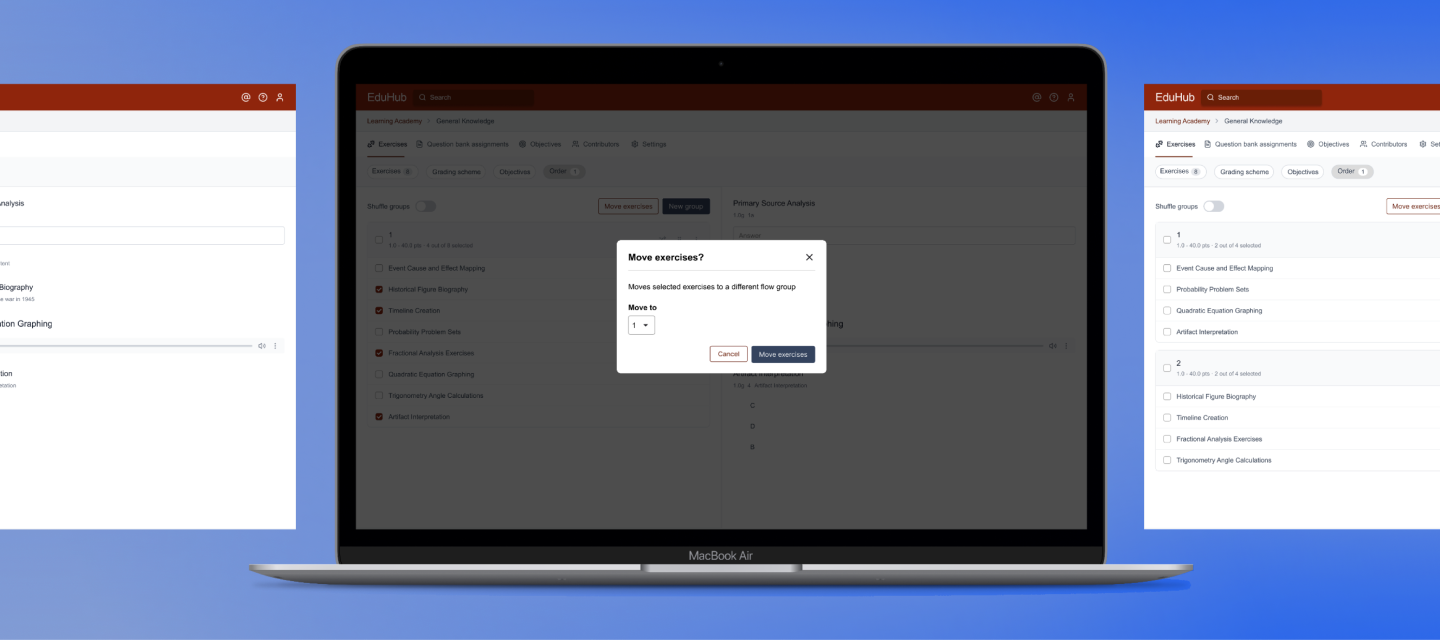
During my time at an educational software company (2024), I worked on improving a feature called “flow groups”, which lets users order, randomize, and shuffle exercises within digital assignments
Timeline
Mar - Apr 2024
My role
Product Designer
Tools
Figma
Problem
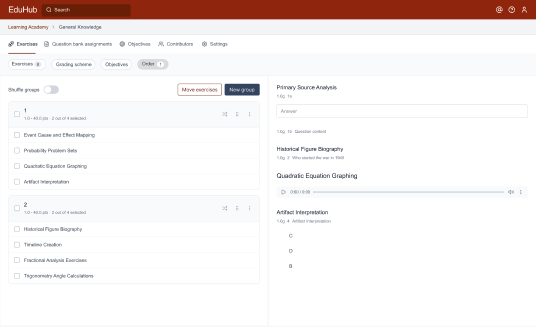
Flow groups let users organize and randomize exercises within assignments. While intended to simplify exercise management, each imported exercise was placed in its own group by default, requiring repeated drag-and-drop actions to organize exercises within a group. Empty groups remained until the page was refreshed, causing clutter and extra scrolling in large assignments.
Solution
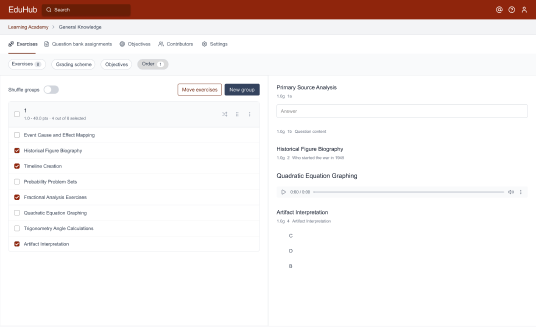
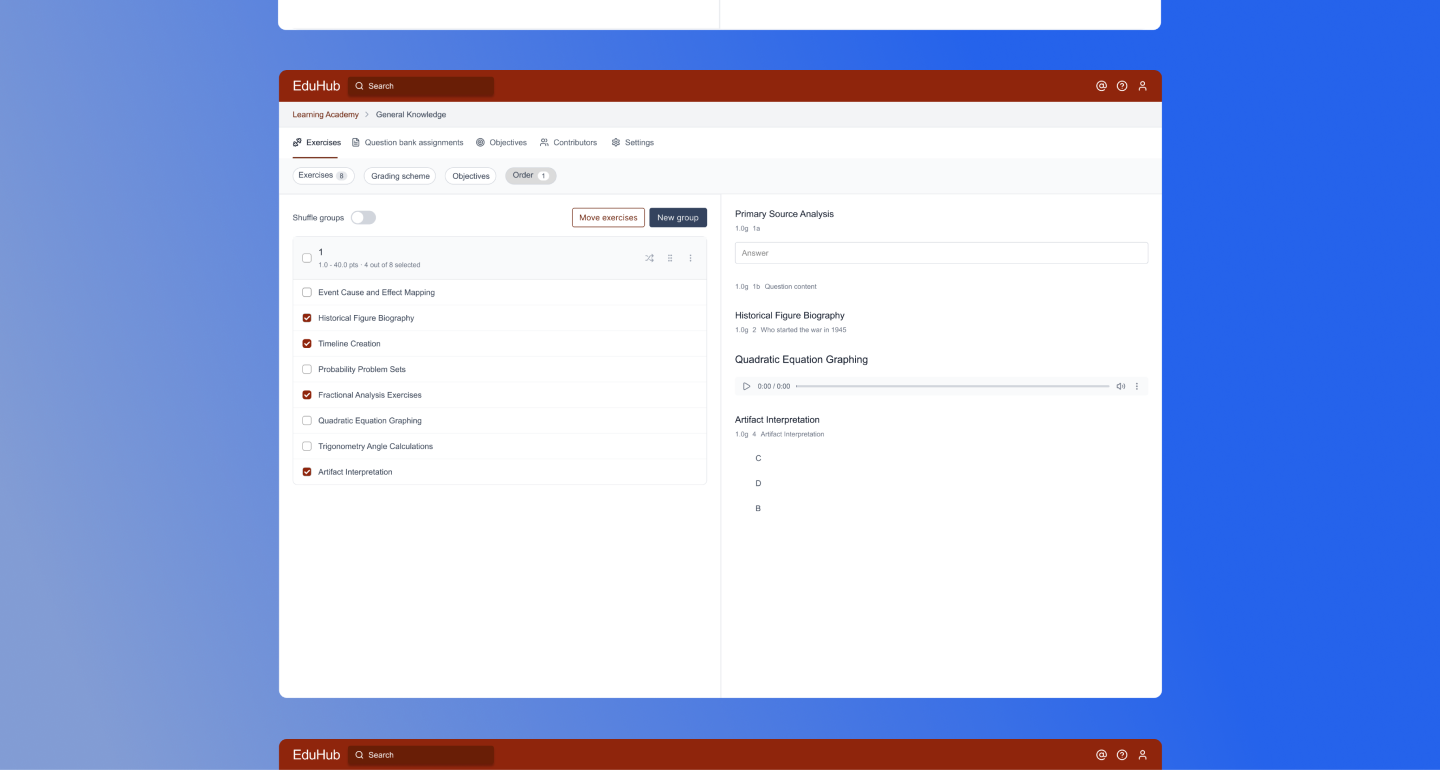
The feature was redesigned to minimize manual effort. All imported exercises are now added to a single group, with the ability to multi-select exercises for easier movement. Empty groups are automatically removed, and subtle interaction feedback helps user actions.
View final design
Design process
1
Empathize
User interviews
2
define
User needs
3
ideate
User flow
Sketching
4
Prototype
Wireframes
Mockups
5
test
Usabillity test
Empathize
User interviews
In order to understand the problems users are experiencing while using the flow groups feature I decided to conduct user interviews. During this interview I asked them to walk me through how they currently use the feature and how we could improve their workflow. These are the main takeaways:

-Avoiding the feature altogether by importing exercises in order.
-Having to drag-and-drop exercises to one flow group is time consuming and tedious.
-Not aware that empty flow groups were removed upon refresh, deleted them manually.
-Users were unaware of the features capabilities without the support page.
Define
User needs
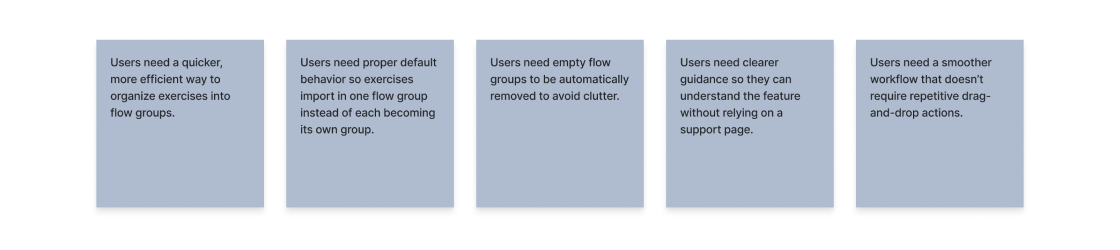
During the research phase I translated the interview findings to user needs. This way I could identify the main problem and design with the users in mind.
ideate
User flow
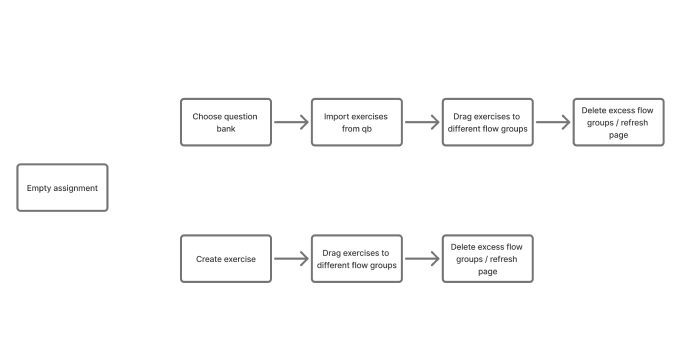
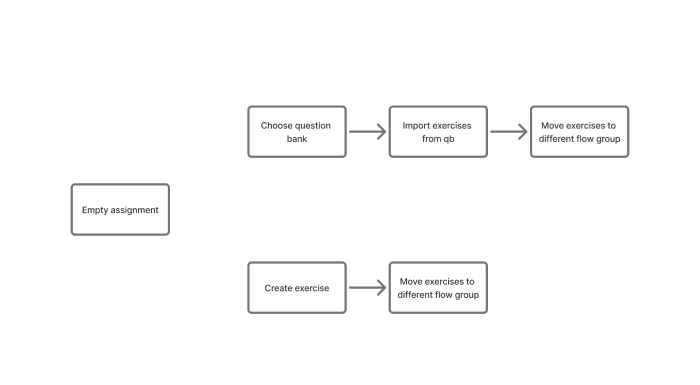
I created user flows to get a proper view on how users use the flow groups feature. The current user flow illustrates the existing journey users take to organize their exercises. The biggest problem is the time consuming and tedious dragging and dropping of numerous exercises. To resolve this, I have created a desired user flow that simplifies the process, making the use of flow groups more user-friendly and efficient.
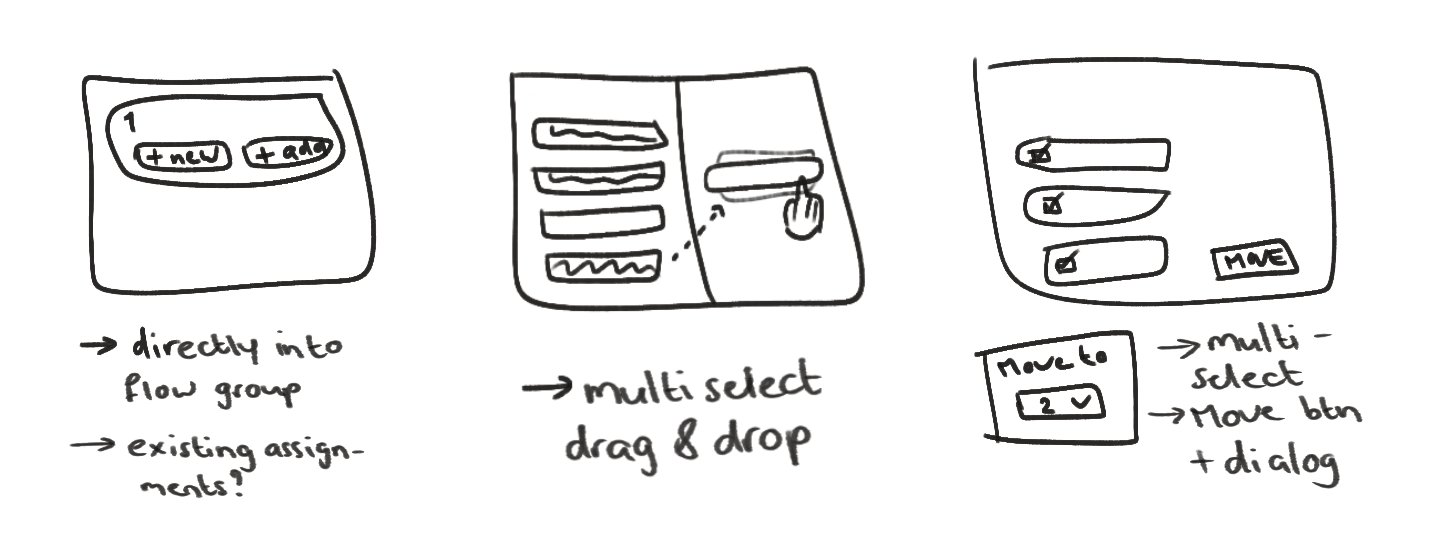
Sketching
Based on the desired user flow I started sketching some ideas in which exercises could be moved easily. One of my ideas was for users to be able to import their exercises directly into a preferred flow group, but this was not feasible for developers to implement within the timeframe. Because of this we decided to go with a multiselect, a ‘move’ button and a dialog in which users could choose which flow groups the exercises would be moved to.
protoype
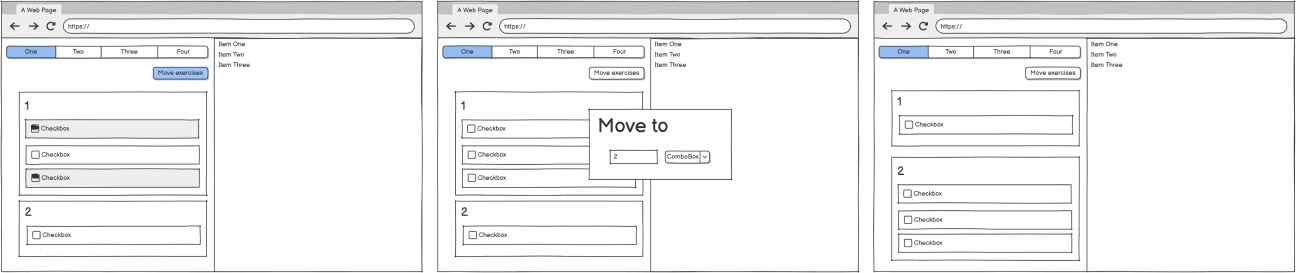
Wireframes
To visualize the new flow for flow groups, I created wireframes. These helped me understand the user experience before moving into detailed UI design and made it easier to gather early feedback, which lead to improvements for both users and developers.
Mockup
After receiving feedback from the product manager I started creating the high-fidelity mockup. While creating the design I worked with the company’s Design System in which many components could be used in my design.
test
Usability test
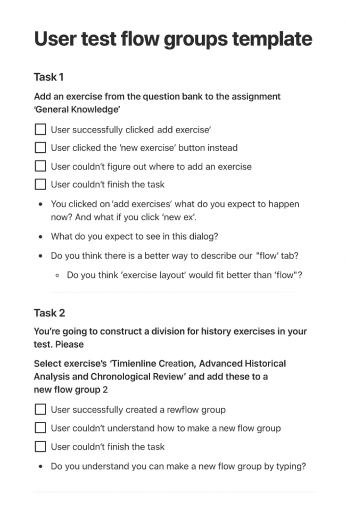
To better understand how users would navigate the new feature, I decided to conduct usability tests. I designed specific tasks around flow groups and randomizing exercises to validate whether the feature was easily understood or if it required improvement.
Final product
< View RDH projectView Cleanlings >